
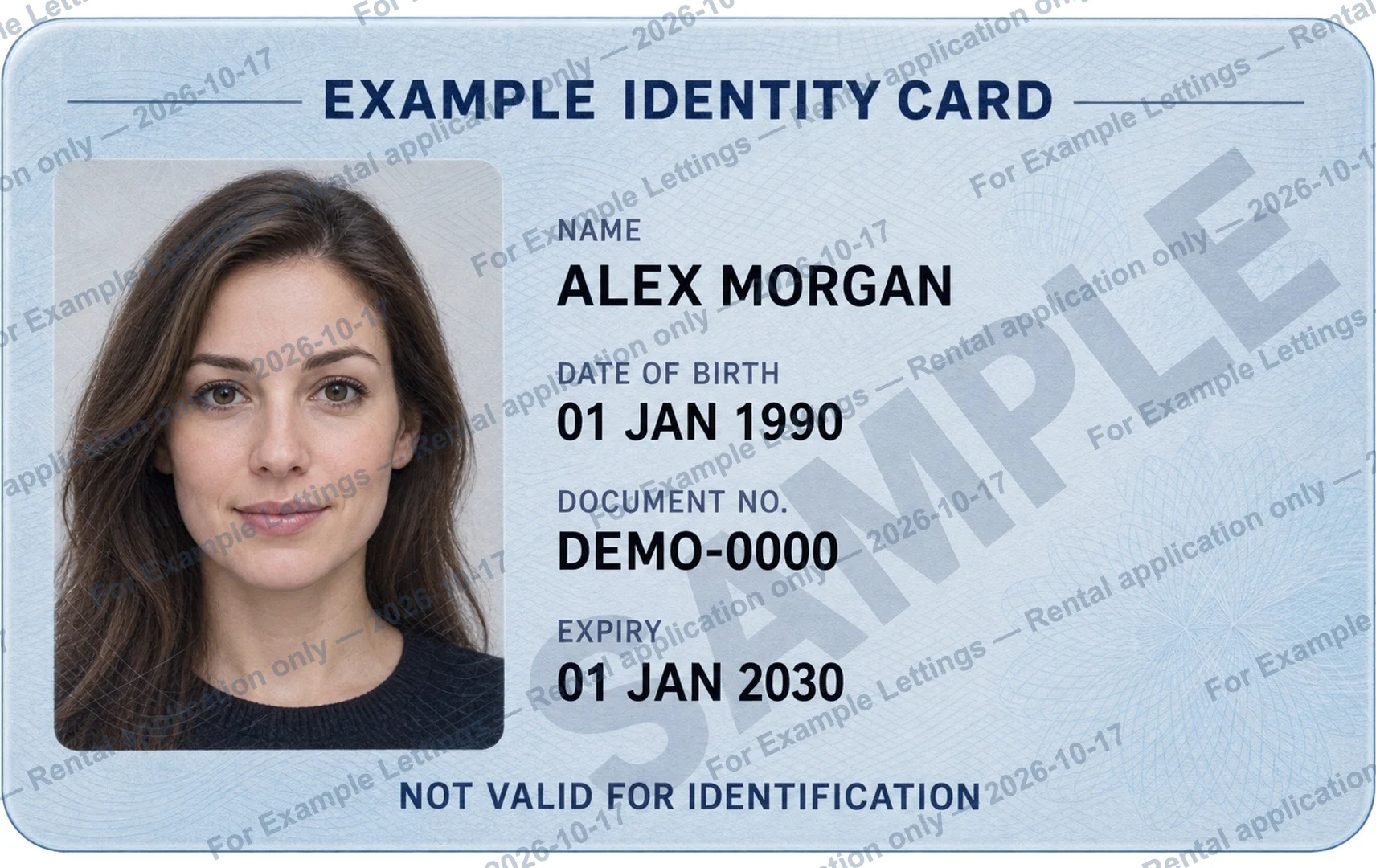
First, check whether a watermarked copy is accepted.
To watermark a passport copy, work on a separate image, add a specific recipient and purpose, then open the exported file to check readability. Before editing, ask whether the receiving organization accepts a marked copy. A neat watermark does not make an unsuitable file acceptable.
Confirm which page is requested, the accepted image or PDF format, and the submission channel. This guide explains file preparation; it does not establish which passport details an organization is entitled to collect.
Write who the passport copy is for and why.
A message such as “COPY” or “For verification only” leaves the recipient and transaction unclear. Name the organization you have verified and the actual task. Add a date if it helps identify this handover; a date on a watermark is not an automatic expiry rule.
For [Recipient] — [Specific purpose] only — [Date]
- Replace every bracketed field before exporting.
- Use a booking or application reference only when you want it visible on the copy.
- Avoid putting extra contact details or unrelated personal information in the watermark.
Add the watermark to a separate image.
Open the ID watermark tool and choose a clear JPG, PNG or WebP image. HEIC works only when the browser can decode it. The tool adds text to an existing picture; it does not scan a passport, edit a PDF or verify a document.
Enter your wording, choose a repeated or single mark, and adjust opacity and text size. Check the portrait, document number and other details the recipient requires. If the mark makes them hard to read, adjust it before exporting.
Open the actual JPG or PNG before sending.
Download the new image and open it outside the editor. Zoom in to check spelling, visible details and the entire page. Confirm the file type and size match the receiving system, then attach this finished copy rather than the untouched original.
Images and entered watermark text are processed in your browser. Keep your own original: leaving or reloading the page clears the editor. Website results do not automatically appear in the separate IDPouch app.
A purpose watermark has limits.
A visible purpose label adds context; it cannot guarantee that a passport image will not be copied, edited or misused. Verify the request and destination as well as the wording. If the recipient rejects marked copies, resolve that requirement before sending another version.